Jarbas for PC: use Jarbas on your computer in the browser
A lot of people ask whether Jarbas works on a computer. It does, and that is exactly what Jarbas Web is for. It is the same account and the same data as the app, open in the browser on your PC, laptop, or Mac. There is nothing to install: go to web.jarbas.app and start using it.
Nothing to install. No extra cost.


How to use Jarbas on your computer
Three steps and less than a minute. Jarbas Web is already included in your plan.
1.Open your computer browser
Go to web.jarbas.app in Chrome, Edge, Firefox, or Safari. There is no program to download and no installer to run.
2.Sign in with your Jarbas account
Use the same email and password as the app. If you do not have an account yet, you can create one for free on the same screen.
3.Pick up where you left off
Your products, customers, sales, and finances are already there. Nothing to migrate: it is the same account you use on your phone.
Nothing to install. No extra cost.
A big screen to see the whole business
A computer fits far more information at once: your product list, the day's orders, and your reports all show up in full. Checking inventory and closing the register gets much faster than on a phone.
See how inventory control works →A real keyboard for bulk data entry
Typing names, prices, and codes on a keyboard speeds up the initial catalog setup and the day-to-day fixes. It is the fastest way to get Jarbas running when you are starting out.
Learn more about product registration →The counter POS on your store computer
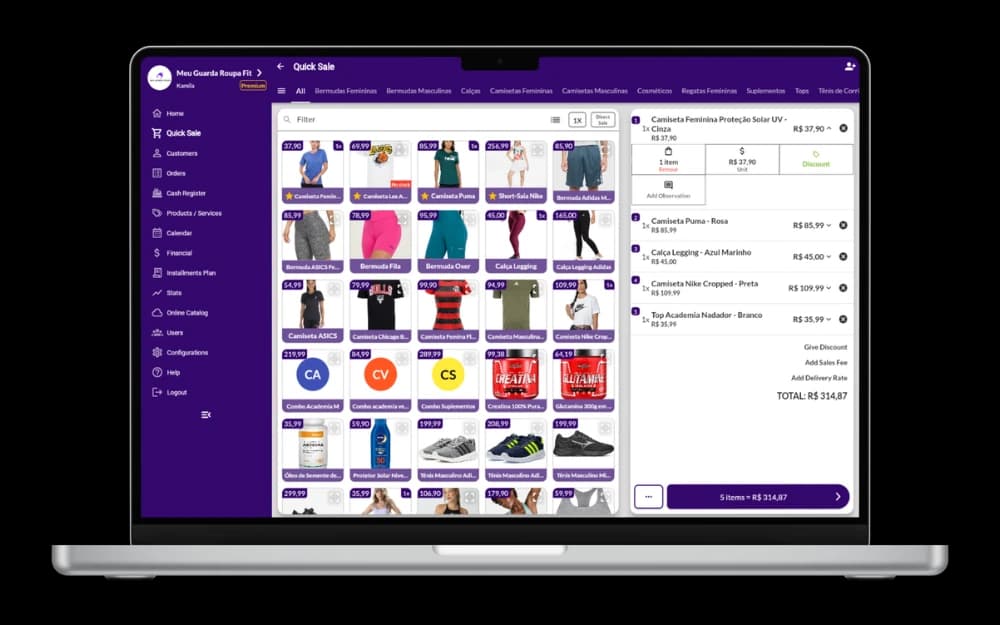
Keep Jarbas Web open on the checkout computer and register sales right there, without picking up your phone for every customer.
Explore the POS system →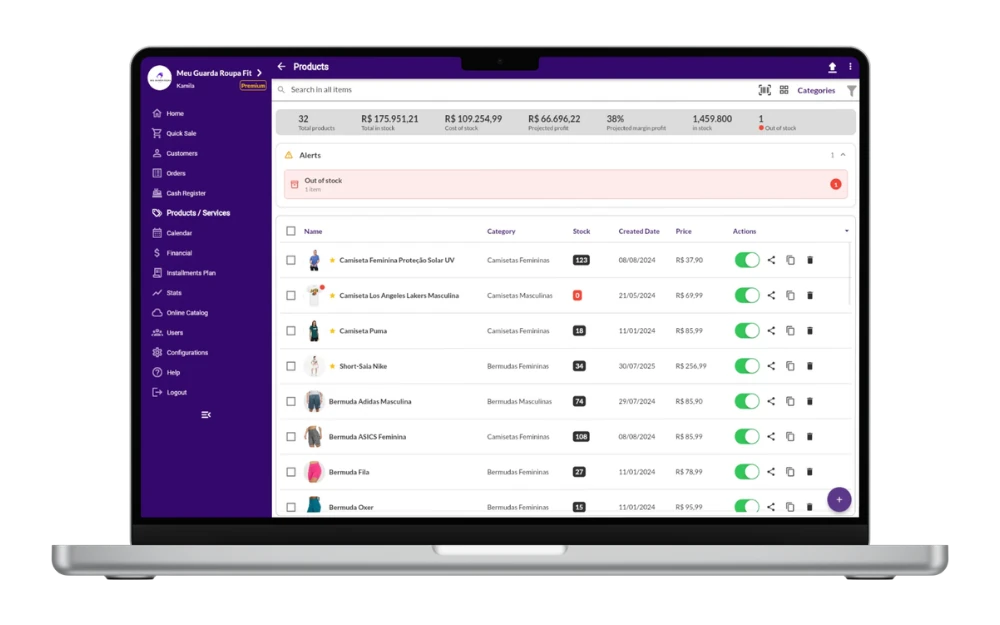
Same account, not a different system
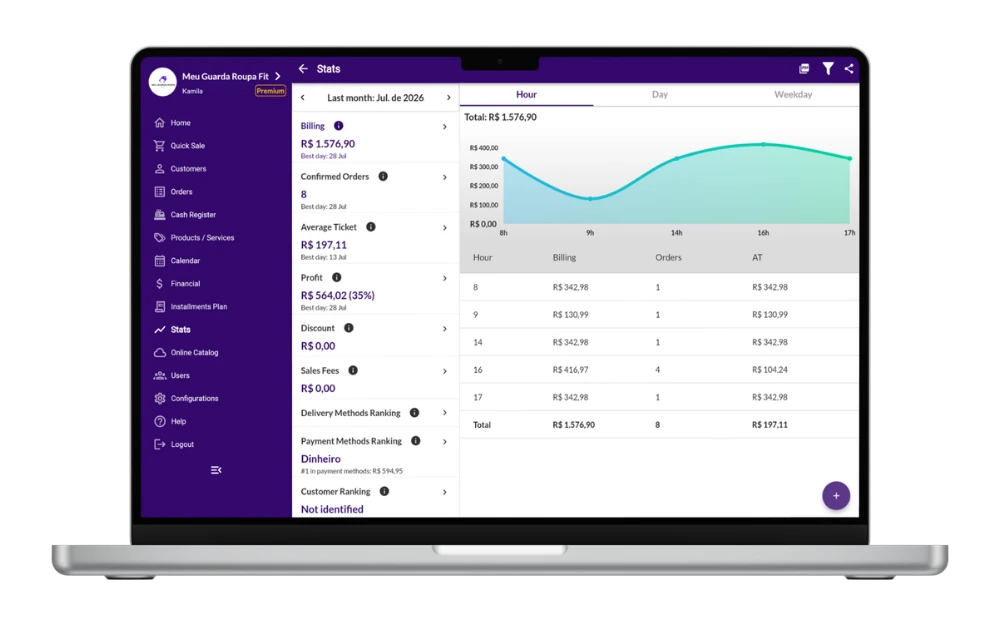
Jarbas Web is not a separate product or a second subscription. It is the same Jarbas from your phone, open in the browser: whatever you record in one shows up in the other.
See how sales management works →Phone and computer working at the same time
While someone serves customers with a phone in hand, another person checks inventory or reviews the finances on the computer. Each person signs in with their own user.
Learn more about financial control →Already included in your plan
Using Jarbas on a computer costs nothing extra. Web access is part of the plan you already have, free or paid.
See the plans →Windows, Mac, Linux, or Chromebook
Because everything happens in the browser, your computer's operating system does not matter. There is no version to install per system, and no update for you to download.
Explore every Jarbas feature →Chrome, Edge, Firefox, or Safari
Use the browser already on your computer. Keeping it up to date is worth it for every feature and the best performance.
See the online catalog →A desktop shortcut, if you prefer
From Chrome or Edge you can create a Jarbas Web shortcut on your desktop and open the system with one click, as if it were an installed program.
See the digital menu →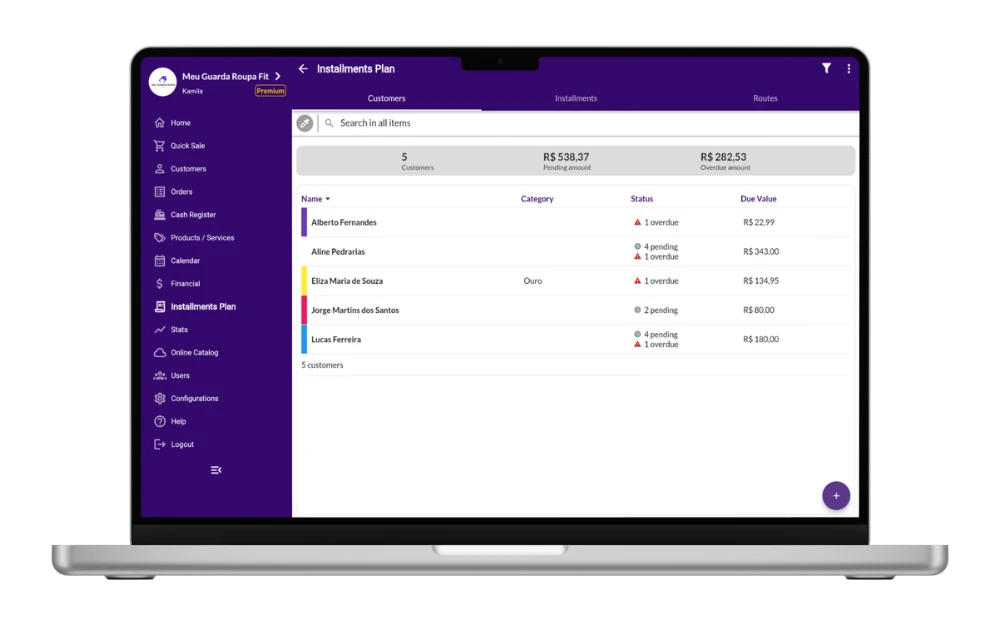
Why choose Jarbas?
Works with and without internet
Everything you need, in one app
Support that really helps
Ready for physical and online stores
Download our app.
Available in


What are they saying about the Jarbas
Check the opinion of some of our customers who are taking care of their own business.



After searching a lot for an app. Cheap, but really delivers everything I need, and serves all types of products and services, and better! The administration and updates of the app are direct, support is incredible, always helping and improving the app, according to our demand, they are of congratulations Jarbas Team 🤝

Guilherme Batista
Rating on Play Store
I couldn't find a better app to manage a small business. It has everything! And it's hard to believe in the value of the paid plan, it's worth it... I'm not going to leave anymore 🤩

Isabela de Brito
Rating on Play Store
Great app! For some time I was looking for an app that was easy to use and at the same time helped me optimize my time and organize my agenda, appointments and even my stock. I found everything in one app, I'm very happy and satisfied. I recommend to all entrepreneurs who need practicality to organize their business.

Cynthia Souza
Rating on Play Store



Partner stores
Over 50 thousand partner stores
Global presence
In more than 40 countries
Satisfied customers
4.8/5 in the Play Store
Jarbas Blog
For small businesses and entrepreneurs.





Frequently asked questions
Does Jarbas work on a computer?
Yes. Jarbas has a web version, Jarbas Web, made precisely for people who want to use the system on a computer. Just open web.jarbas.app in the browser on your PC, laptop, or Mac and sign in with your account.
Do I need to download any program to use Jarbas on a PC?
No. Jarbas Web runs directly in the browser, with no installation and no download. If you prefer opening it with one click, you can create a desktop shortcut from Chrome or Edge itself.
Is there a Jarbas for Windows?
Jarbas for Windows is Jarbas Web. Instead of a program to install, you reach the system through the browser, which removes manual updates and works the same on Windows, macOS, Linux, and Chromebook.
Does using Jarbas on a computer cost extra?
No. Computer access is included in the plan you already have, free or paid. There is no separate subscription for the web version.
Does what I record on my phone show up on the computer?
Yes. It is the same account and the same database. Products, customers, sales, and finances entered in the app appear in Jarbas Web, and what you do on the computer appears on your phone.
Can I use my phone and my computer at the same time?
Yes. You can keep Jarbas Web open on the checkout computer while your team uses the app on their phones, each person with their own user.
Does Jarbas Web work on a Mac?
Yes. Because everything happens in the browser, Jarbas Web works on Mac, Windows, Linux, and Chromebook, with no specific version for each system.
Which browser should I use on my computer?
Chrome, Edge, Firefox, and Safari all work well. What matters is keeping the browser up to date so you get every feature and the best performance.
Does Jarbas Web work without internet?
Browser access needs a connection to load and sync your data. If the internet at your business tends to drop, keep the mobile app as a backup so service does not stop.
How do I sign in to Jarbas Web?
Open web.jarbas.app in your computer browser and enter the same email and password you use in the app. If you do not have an account yet, you can create one for free on the same screen.


© Jarbas 2026, All Rights Reserved
Jarbas Software e Servicos LTDA - 53.732.154/0001-34 - Site Map